
Newsairy 1.20 - Press Kit
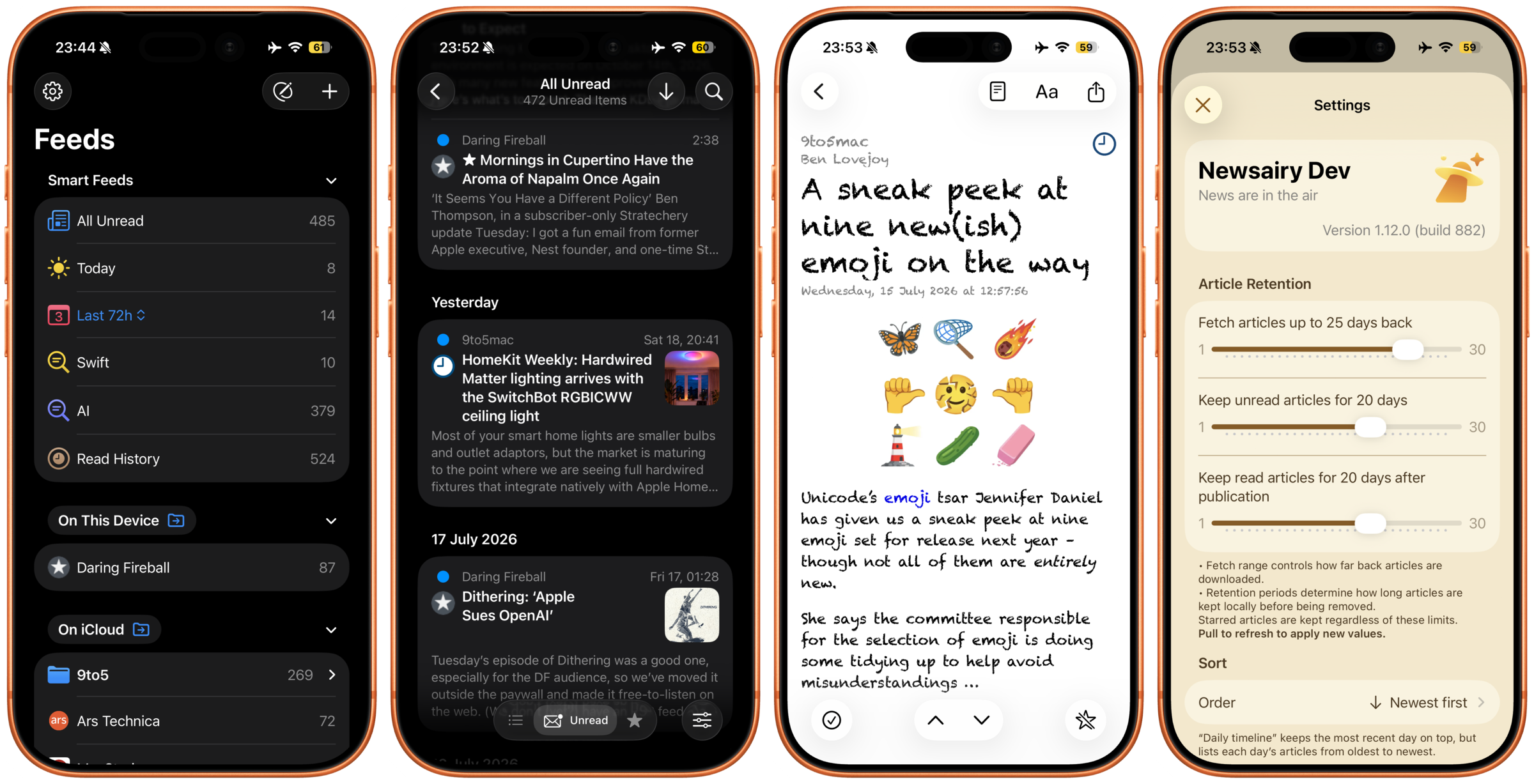
Newsairy: a simple, fast and iCloud-native RSS Reader.
⬇ Find app site and screenshots to download at the bottom of the page. ⬇
💡 Why Newsairy
One more RSS reader — why not? Honestly, I did it for the same reasons I see others mentioning: there wasn’t an RSS reader out there that fit me perfectly. So I started working on my own.
Newsairy is designed to get out of your way. No engagement metrics, no trending topics, no algorithm deciding what you see. Just the feeds you choose, delivered cleanly.
🏅 What makes Newsairy different
There are many good RSS readers out there, but I always found at least one thing missing:- Get a short AI summary of any article, generated entirely on your device (iOS 26+) — nothing leaves your phone
- Focus on the latest news with Smart Feeds: Today, Last 24 / 48 / 72 hours, Last 7 days and This week
- Build your own Custom Smart Feeds: keyword-based feeds that gather matching articles from every source, with keywords to include and keywords to mute
- Read History: a smart feed for just what you opened, or everything marked as read, with a toggle to switch
- Three independent article retention rules:
- Fetch history: how far back to download articles on first load
- Unread retention: how long to keep unread articles from their publication date
- Read retention: how long to keep read articles from their publication date
- Themes: Automatic, Light, Dark, Sepia
- Customisable Article List: layout (Grouped or Plain), density (Comfortable or Compact), thumbnail size, favicon, unread dot, and preview lines (0–6)
- Tune the reading view: pick the font and text size for the article preview
- Native, fast, Liquid Glass (on iOS 26)
- No ads, no tracking, no third-party analytics
🚀 Features
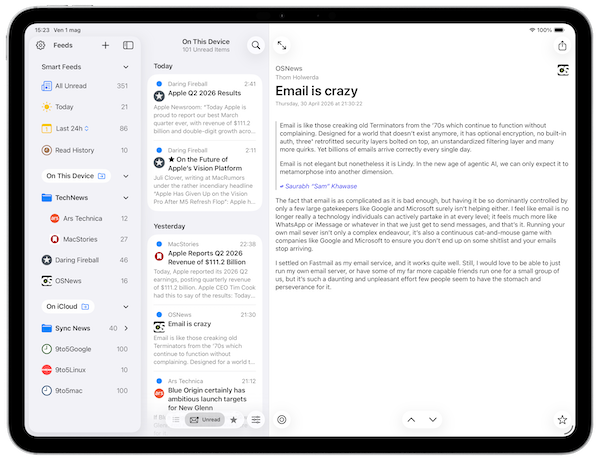
Read the way you want
- Supports RSS (including RSS 1.0 / RDF), Atom and JSON feeds
- Follow YouTube channels like any other source: video player, description and thumbnail, right in the article
- Browse feeds in a clean article list with customisable layout
- Read with the offline preview, the built-in reader (with adjustable font and text size), or open in your browser
- Choose how each feed opens: as published, with the full text extracted automatically, or downloaded ahead of time for offline reading — set per feed
- Option to always open articles directly in reader mode
- Mark all articles in a feed or folder as read in one tap
- Optional Mark as Read on Scroll: the list clears itself as you read (off by default)
- Organise feeds into folders
- Fast search across all articles
- Check any article's Article Info: where it's from, its dates, read/starred state, and when retention will remove it
- Star articles to save them - starred items are never deleted by retention rules
Stay in sync
- iCloud keeps your feeds, folders and reading state in sync across iPhone, iPad and Mac
- Sync on automatic schedule, on launch, on resume, or manually with pull-to-refresh
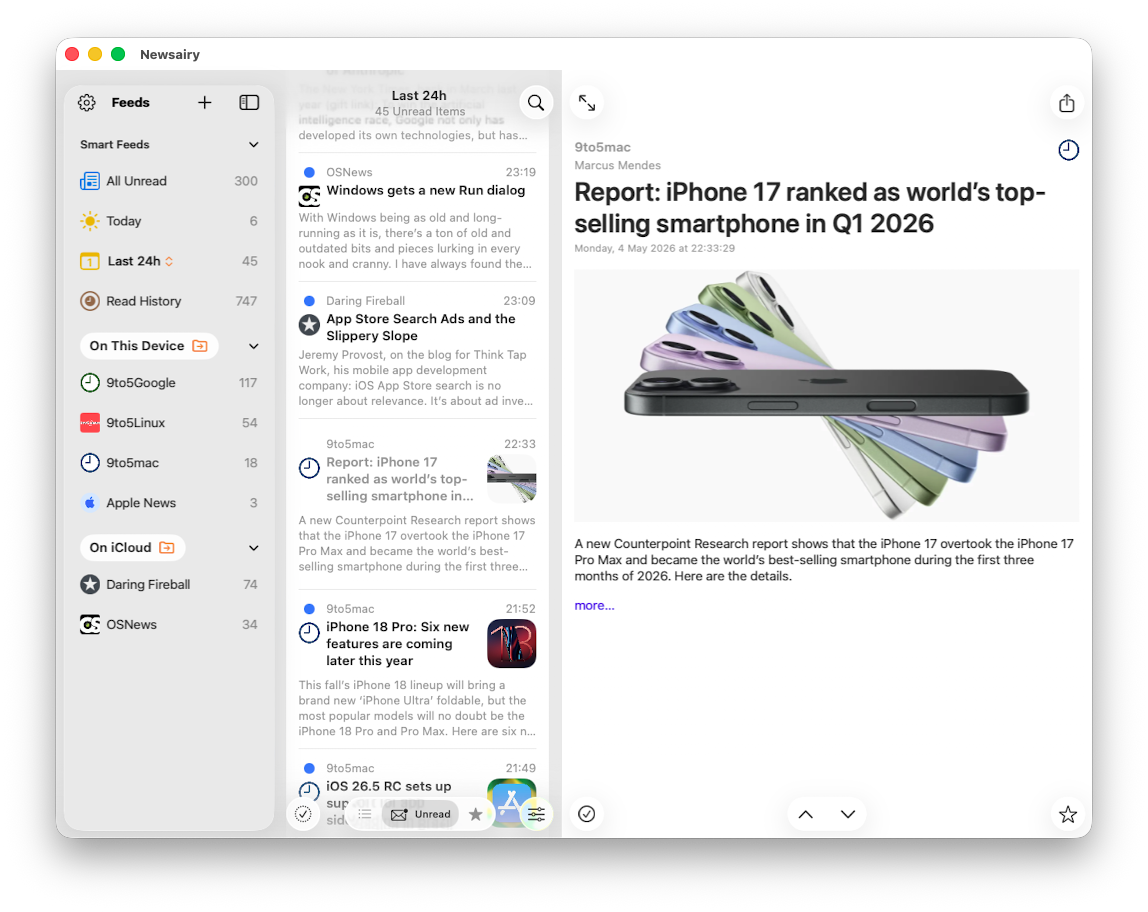
Make it yours
- Configurable swipe actions and article order
- Sort the article list: Newest first, Oldest first, or a Daily timeline
- Add a feed by pasting a website's address, not just the feed's - Newsairy finds the feeds for you (when available)
- Add a feed from Shortcuts: the Add RSS feed to Newsairy action takes a URL from a shortcut, an automation or the share sheet
- Import and export subscriptions with standard OPML files
Newsairy Pro - $2.99 / €2.99 (one-time)
- Removes the 6-feed limit (free includes up to 6 local + 6 iCloud feeds)
- Adds TheOldReader, Miniflux, FreshRSS, Feedbin, and Inoreader sync: subscriptions, read state, and starred articles
- Pay once, yours forever. No subscription.
📫 Contact
Have questions or want a promo code? Send an email at qebapps@gmail.com.
📜 Version History
September 2026
- 1.20 — on-device AI summaries, run entirely offline, plus fixes
- 1.19 — RSS 1.0 (RDF) feeds and a proper Read History, plus fixes
- 1.18 — full text extraction set per feed, plus fixes
- 1.17 — mute keywords for Custom Smart Feeds, plus fixes
August 2026
- 1.16 — customisable list Layout and Density, plus fixes
- 1.15 — an Article Info sheet, plus more detail in Feed Info
- 1.14 — follow YouTube channels, plus a round of fixes
- 1.13 — add feeds from Shortcuts, and much faster large archives
- 1.12 — add feeds by pasting a website's address
July 2026
- 1.11 — fetch an article's full text on device
- 1.10 — zoom images in a full-screen viewer
- 1.09 — mark articles as read on scroll
June 2026
- 1.08 — add time-based Smart Feeds and article sorting
- 1.07 — add Inoreader sync
- 1.06 — choose font and text size in the reader
- 1.05 — create custom keyword Smart Feeds
- 1.04 — add Feedbin sync and Article List customisation
May 2026
- 1.02 — add FreshRSS sync
- 1.01 — add Miniflux sync
- 1.0 — first release
🗺 Roadmap
- Next: new features still taking shape, including a possible way to hide spoilers about certain events
- More aggregators and customisation options to follow
🔗 Links
| Screenshots | iPhone | ⬇️ zip file |
| iPhone framed | ⬇️ zip file | |
| iPad | ⬇️ zip file | |
| mac | ⬇️ zip file | |
| Icon | Hi-Res icon | |
| Site | Newsairy | |
| Privacy Policy | ||
| App Store |
|
|
 |

✅ Requirements
iOS 18.0 or later (AI summaries require iOS 26+). On Mac, requires macOS 15 or later and Apple silicon.
iCloud sync requires an active iCloud account. TheOldReader, Miniflux, FreshRSS, Feedbin, and Inoreader sync require Newsairy Pro.